YouTube doesn't accept bare audio. For a radio station the picture is always the same picture, so the platform makes it for you: a background, your station name, and underneath what's playing. Nothing to design, nothing to upload.
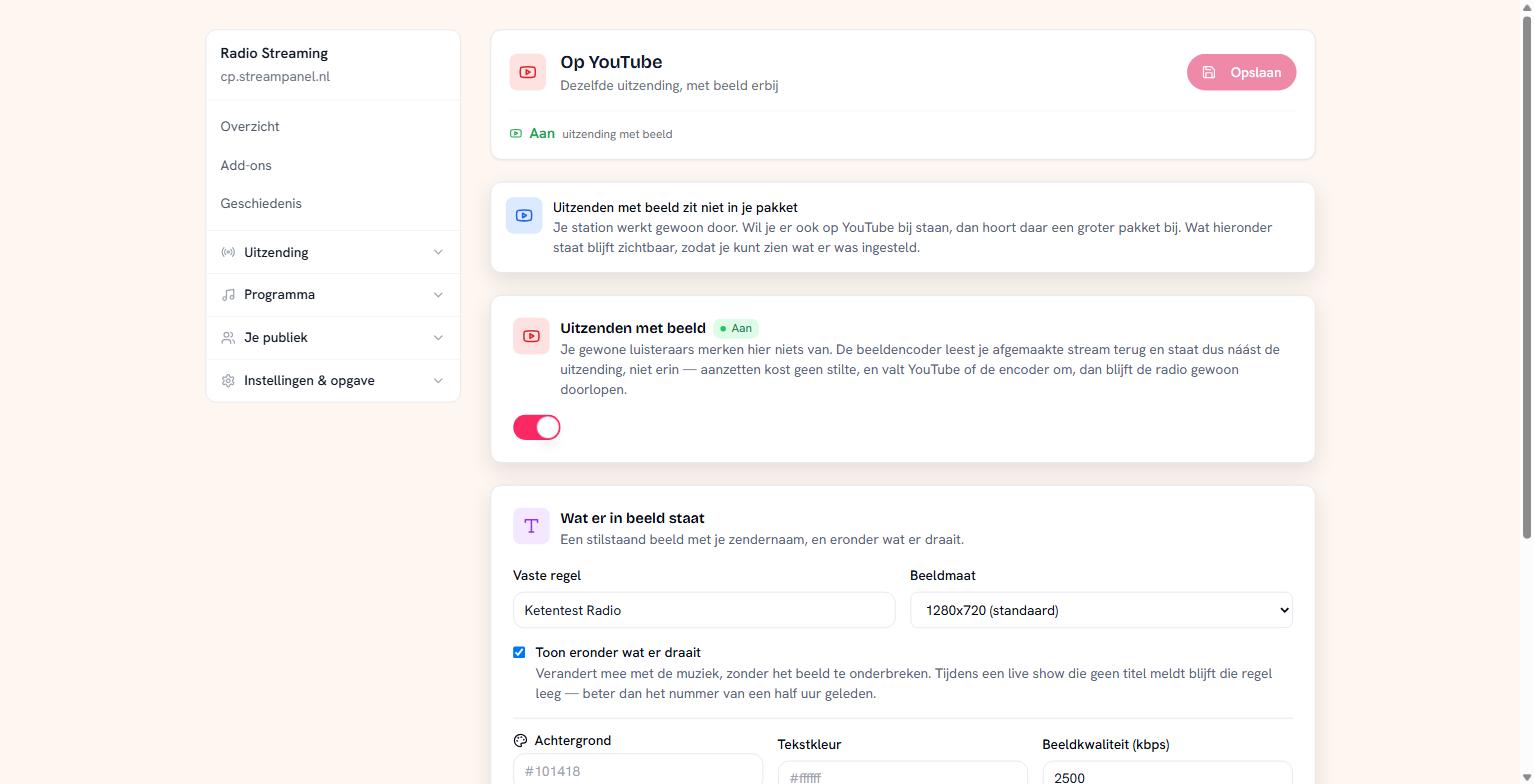 The screen for broadcasting with video
It does nothing to your ordinary listeners
This is the question everyone asks before switching this on, so here's the answer straight away: your ordinary listeners notice nothing.
The video encoder reads your finished stream back and therefore sits beside your broadcast, not inside it. Switching it on costs no silence. And if YouTube or the encoder falls over, your radio simply keeps running — nobody on the ordinary stream hears a thing.
Setting up
Turn Uitzenden met beeld on and enter your stream key. You'll find it in YouTube Studio under Live streaming → Stream settings.
Leave the server empty for YouTube. To go to Twitch, Facebook or your own server, enter that RTMP address instead.
The stream key is the whole password. Whoever has it can broadcast on your channel. That's why it never comes back on screen here: you only see that one is set.
What appears on screen
Under Vaste regel you set what's always there — usually your station name.
With Toon eronder wat er draait the current track's title appears underneath. It changes with the music without the picture being interrupted. During a live show that reports no title the line stays empty — better than the track from half an hour ago.
Beyond that you choose the frame size, the background colour, the text colour and the video quality. 1280x720 is the standard and plenty for a still image; higher only costs bandwidth.
What to watch out for
YouTube cuts off a live stream that stalls too long or gets too little data. So don't set the video quality extremely low.
And bear in mind that your music on YouTube goes through their rights system. What you pay to the rights organisations for your stream doesn't cover that — YouTube arranges its own licences, and a broadcast with commercial music can be blocked there or have ads placed on it. For talk programmes and your own material this doesn't apply.