AutoDJ runs on the music in your library. No music means no broadcast when you're offline, so this is the first real step after your station is set up.
Uploading
Go to Programma → Muziek and click Uploaden. Your files go straight to the platform; they don't pass through our servers.
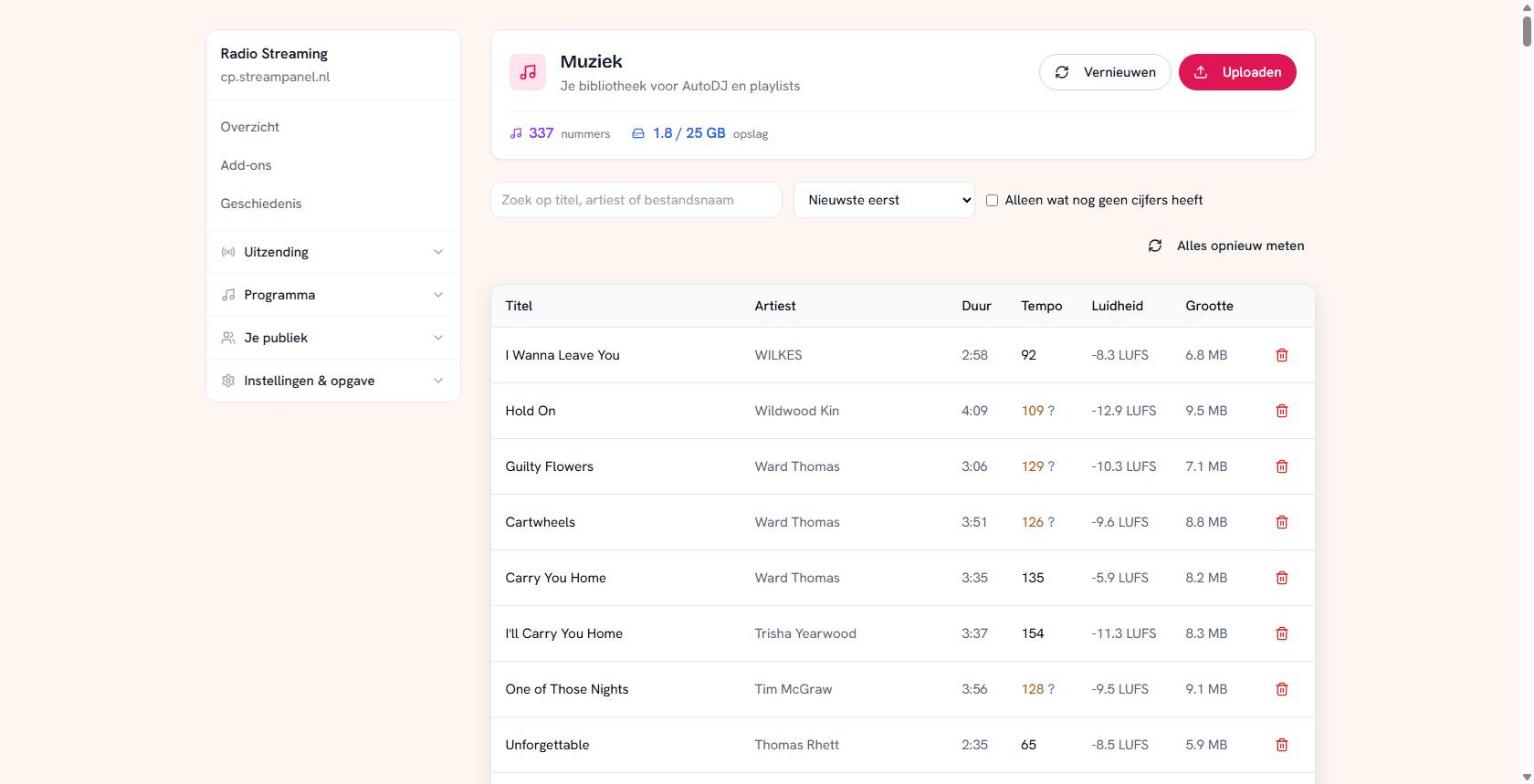 The music library with tempo and loudness per track
At the top you see how many tracks you have and how much storage you're using. You share that storage with your recordings — more on that in the recordings guide.
What the columns mean
Duur (duration) and Grootte (size) speak for themselves. The other two don't:
Tempo is beats per minute. A question mark after it means the platform estimated it rather than reading it from the file. You can sort on it, and playlists can build on it — a rotation that climbs in tempo sounds different from a random one.
Loudness is in LUFS, and that's a negative number: −8 is louder than −13. The platform measures this so the volume stays even between tracks. Without it one record jumps out and the next disappears, and that's the fastest way to make a station sound amateurish.
If those numbers are missing, tick Alleen wat nog geen cijfers heeft and click Alles opnieuw meten. On a large library that takes a while; you can close the screen.
Titles and artists
The platform reads the title and artist from the file's tags. If something is wrong you fix it here — and that's more than cosmetic.
What's written here is what your listener sees in their player, what ends up in your "recently played", and what goes into your report to the rights organisations. A track called "Track 03" here will appear exactly like that in your royalty report.
What belongs here
Everything you broadcast: your music, but also your jingles, station idents and advertising spots. You'll put them in separate playlists later, but they all start as a file in this list.