Listeners can request a track; you decide whether it plays.
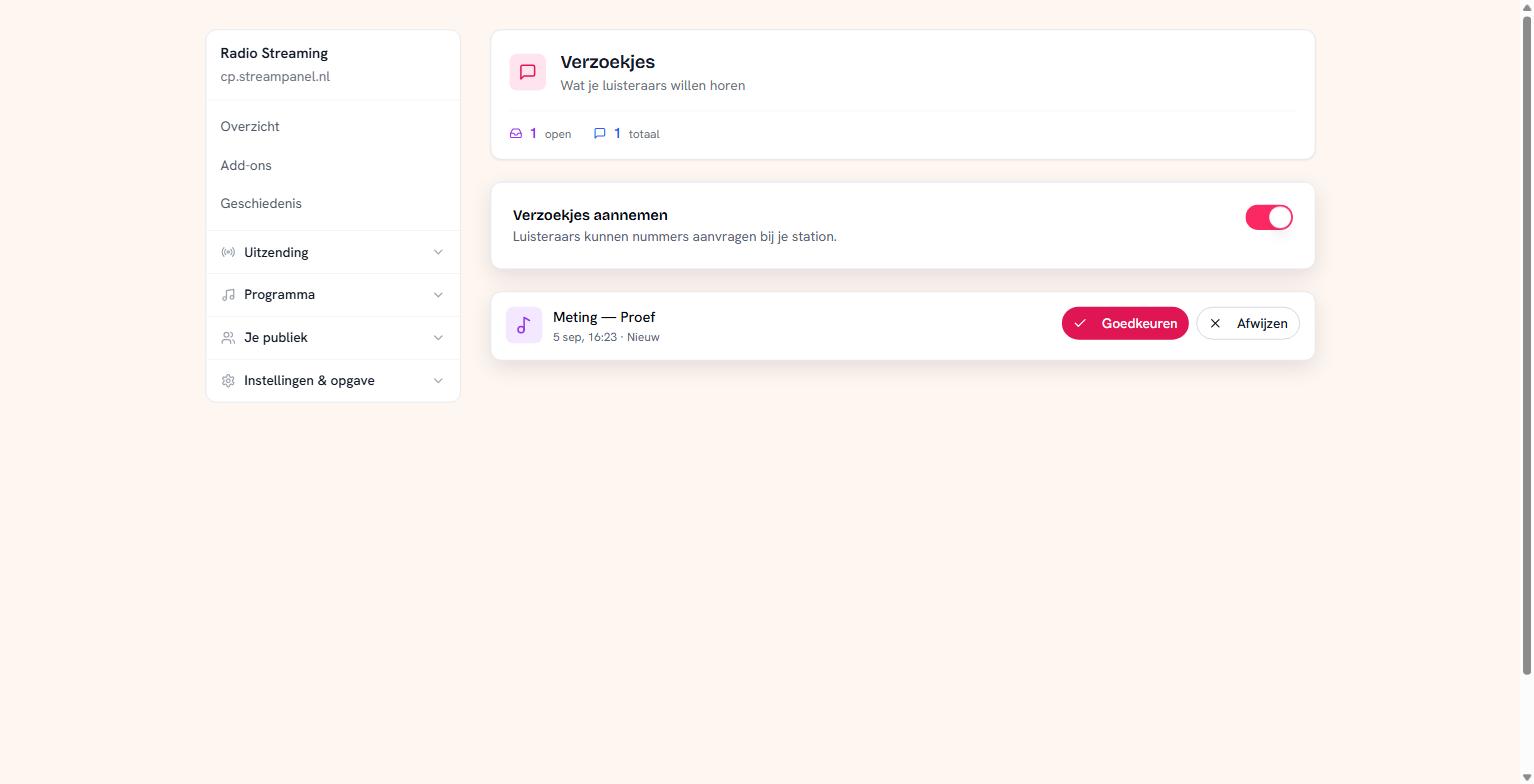 The requests screen with one open request
Switching acceptance on or off
The toggle opens or closes the desk. Closing is handy during a live broadcast where you pick the music yourself, or at night when nobody's watching.
You lose nothing by closing. Open requests stay; only new ones stop coming in.
Working through the stack
Open requests sit at the top — that's the stack somebody has to do something with. Per request you choose Goedkeuren or Afwijzen. An approved request goes to your station.
Handled requests stay in the list, but quieter, so you can look back at what was asked.
Where listeners fill it in
On your own site, with the Plaat aanvragen widget. You'll find it under Op je eigen site; you get a snippet of code to paste in.
Use that widget and not your own little form. A request is counted on the visitor's address; if your site forwards the requests, that's one address for all your visitors and only the first counts.
If you move to a smaller plan
Requests are part of the plan. Move to a smaller plan and you can still close the desk and handle your open requests — only reopening is no longer possible.
That's deliberate: you must be able to empty your stack, even if the feature itself is no longer in your plan.
Note about polls
Polls hang on the same entitlement as requests. If requests aren't in your plan, you can't start a new poll either. That isn't what you'd guess, but it's how the platform enforces it.