A playlist is a collection of records. A station is an order: three from your current list, then something older, then your ident, then two recurrents, and round again. That difference is exactly what makes a station sound like a station instead of a shuffle button.
You capture that pattern in an hour layout.
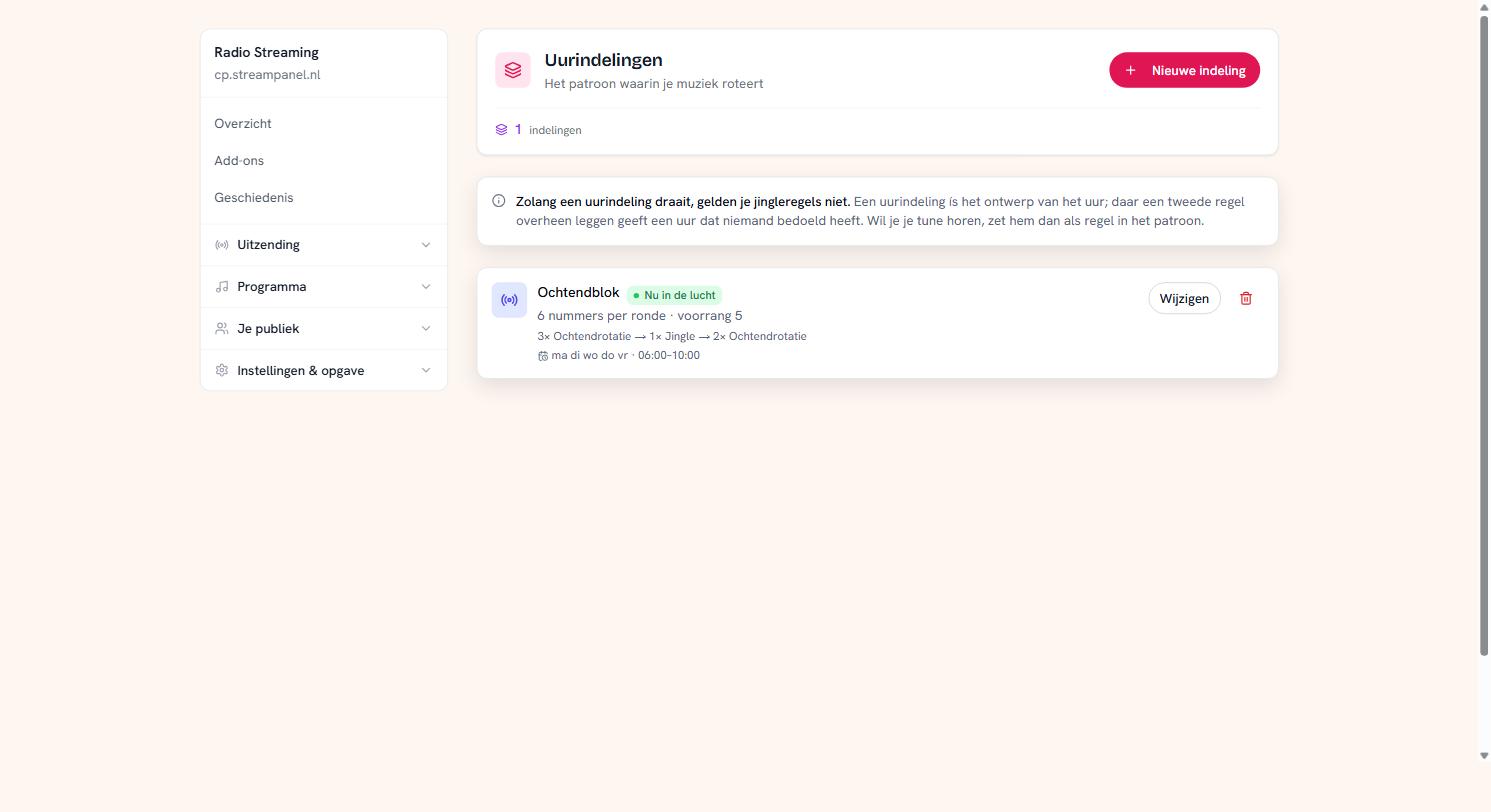 An hour layout that is on air, with its pattern and time window
When you need one
Not straight away. Playlists, weights and time windows get you a long way: your morning sounds different from your night, your A-list comes round more often than your B-list.
An hour layout adds one thing you can't get from playlists alone: a fixed order within the hour. That's what you want as soon as you're after a recognisable pattern — an ident always in the same place, never two ballads back to back, an oldie on the fourth record of every hour.
Building one
Click Nieuwe indeling and give it a name. Then you stack rules. Each rule is: how many tracks from which playlist.
The screenshot shows a morning block of six tracks per round:
3× Morning rotation → 1× Jingle → 2× Morning rotation
More rules means a longer pattern. The order of the rules is the order on air, and the arrows move a rule up or down.
Idents belong in the pattern
This is the most important part of this whole guide, so plainly:
While an hour layout is running, your jingle rules do not apply.
If you set a playlist to drop an ident "every 6 tracks", that setting does nothing during the moments the layout is in charge. The layout is the design of the hour; laying a second rule over it would produce an hour nobody intended.
If you want to hear your ident, put it in the pattern as a rule — exactly like that 1× Jingle above.
This almost always shows up as "my idents have disappeared". They haven't; they're just not in the pattern.
When does it run?
At the bottom you pick the days and a time window. ma di wo do vr · 06:00–10:00 means weekdays between six and ten. Outside that window your station falls back to your ordinary playlists.
If two layouts overlap, priority decides which wins — higher goes first. If a layout shows no priority, it's 1; that's only shown when it differs.
Editing is always the whole thing
There's no "update rule three". The rules are the order, so saving sends the complete pattern. That's not a limitation but the only way an order stays unambiguous — you always see what you're saving.
Where you see the result
On Draailijst. That shows which records fall over the coming hours, with where each one comes from. After saving a layout, look there to check the pattern comes out the way you meant.