A jingle interrupts every so many tracks. An advertising break goes at twenty past and ten to — because that's how it was sold: an advertiser buys a time and a number, not "somewhere in the hour".
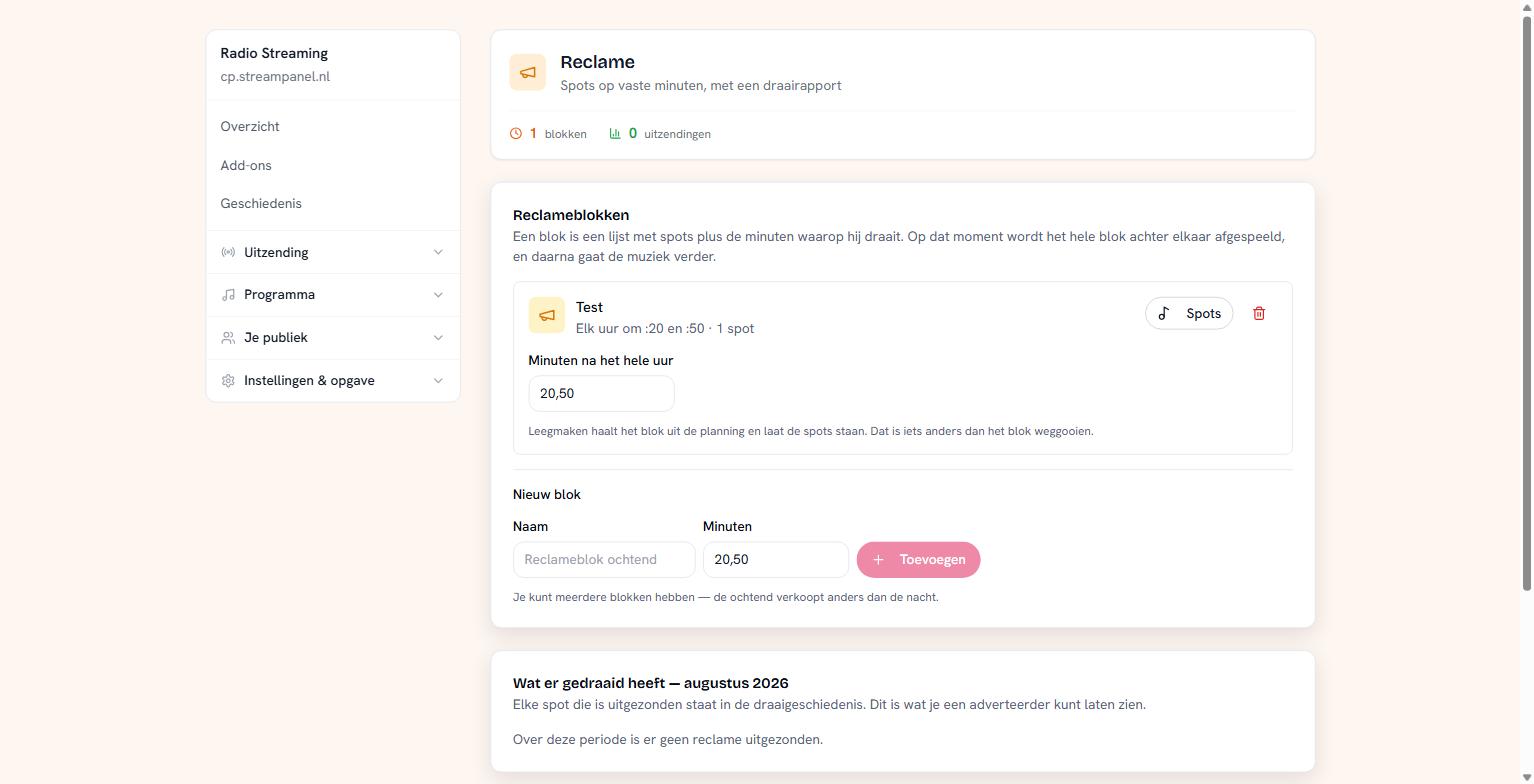 An advertising break at :20 and :50, with the airplay report below
Advertising is part of the larger plans. If it isn't in yours, everything here stays readable — you can see what's there and clean it up, it just doesn't go on air.
Making a break
A break is a list of spots plus the minutes it runs on. At that moment the whole break plays back to back, and then the music continues.
Give the break a name and enter the minutes as numbers separated by commas: 20,50 means every hour at :20 and at :50.
You can have several breaks — the morning sells differently from the night.
Putting spots in
Click Spots on a break. The spots themselves are ordinary files from your library, so upload them first via Muziek → Uploaden.
Clearing is not deleting
Two buttons that look alike and aren't:
Clearing the minutes takes the break out of the schedule. The spots stay. Use this when a campaign pauses.
Deleting the break removes the break itself.
The airplay report
At the bottom sits what was actually broadcast, per month. This is what an advertiser asks for: not what you intended, but what went on air.
If it's empty, no advertising was broadcast in that period. That can be correct — an empty break, a station that was down, or a month in which you sold nothing.
The report sitting next to the breaks is deliberate. If a break was skipped, that's only explainable when you can see alongside it what was scheduled.
If the entitlement is withdrawn
Move to a smaller plan and the platform simply holds on to your spots — it's someone else's audio and we don't throw that away. Only the broadcasting stops. Switch to a larger plan later and everything is still there.