This is the last link of the music side. You have playlists with tracks and possibly hour layouts with a pattern; here you say this block runs Sunday morning from seven to twelve.
Without scheduling all your playlists simply rotate among each other, within the time windows you set on the playlists themselves. That works fine for a station that sounds the same all day. If you want real programmes, you plan them here.
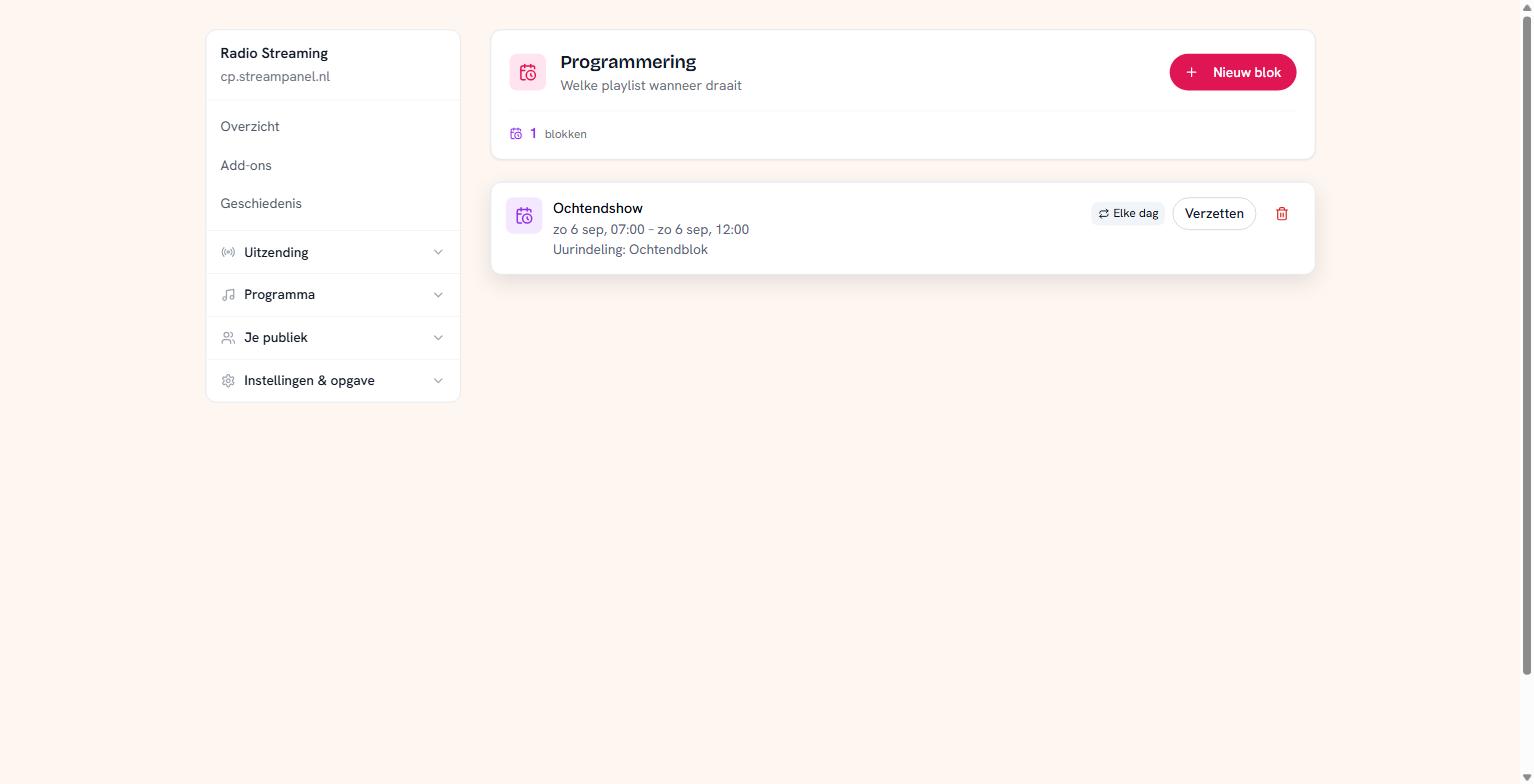 A scheduled morning block with an hour layout in it
Making a block
Click Nieuw blok and fill in:
Name — what the programme is called. This is for you and for your schedule.
Date, from and to — when it runs.
What plays — a playlist or an hour layout. One of the two, never both: that would give two answers to the same question.
The time is your station's
You enter date and time separately, and the joining happens on our side. That's deliberate: what "07:00" means depends on your station's time zone, and your browser doesn't know it. Set your station to the right time zone in the settings and everything here follows.
Repeating
With Elke dag the block runs daily at the same times. That's how you build a fixed morning block without planning it again every week.
Moving
Something overrunning, or a programme needs to shift an hour? Verzetten moves a block without rebuilding it.
A block without a playlist
That's allowed, and then your station decides what plays in that hour — it falls back on your ordinary rotation. Rarely the intention, so check whether you really meant it.
What this does not do
Scheduling is about your music. Your news bulletin, your advertising breaks and your recorded links have their own moments and come on top. And a live DJ always wins: as soon as someone connects, the scheduled block gives way.
Where you see the result
On Draailijst. That shows what falls over the coming hours, with where each record comes from. After saving a block, look there to check it comes out as intended.