Fetching a news bulletin from your news supplier and broadcasting it at a fixed moment in the hour. Playing it is the easy half; the hard half is that the bulletin is correct.
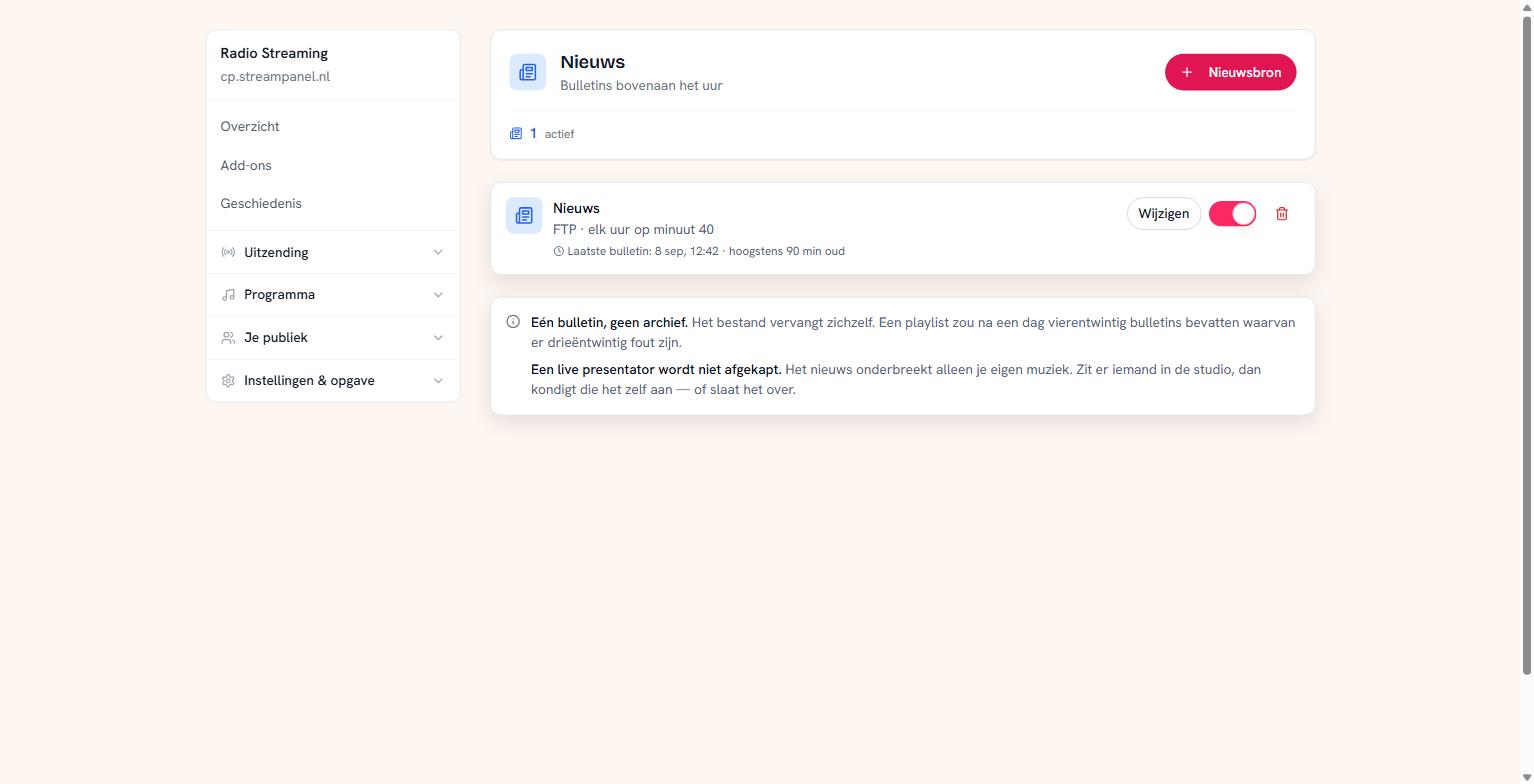 An active news source with its freshness limit and last bulletin
The seven o'clock news with yesterday's bulletin is worse than no news: your listener then stops believing the rest of your station too.
Setting up a news source
Click Nieuwsbron and enter where the file is. Usually that's an FTP address you get from your news supplier, with a username and password.
Then you choose which minute the bulletin runs on. Top of the hour is customary, but some suppliers only make the file available a few minutes later — hence you decide.
The freshness limit
This is where the real work is. You set how old a bulletin may be at most. If the file is older it is skipped rather than broadcast.
That you can see this matters. Skipping quietly is the worst thing that can happen: then everyone thinks it works while nothing happens. So the last bulletin time is on the page, and an expired bulletin appears at the top.
If your news keeps hitting the limit, something is wrong on your supplier's side: the file isn't refreshed, or it's made available too late.
One bulletin, no archive
The file replaces itself every hour. Nothing is kept, and rightly so — a playlist would contain twenty-four bulletins after a day, twenty-three of them wrong.
A live presenter is not cut off
The news only interrupts your own music. If someone is in the studio, they announce it themselves — or skip it. Your presenter is never cut off mid-sentence.
Your credentials
The password of your news source never comes back on screen. If something is set, you see that something is set; leave the field alone when saving and it stays.
That way you can change your broadcast minute or your freshness limit without having to ask your supplier for their password.