A DJ account is a username and password with which someone may take your station on air with their encoder. As soon as they connect they take over from the AutoDJ; when they hang up the music picks up by itself.
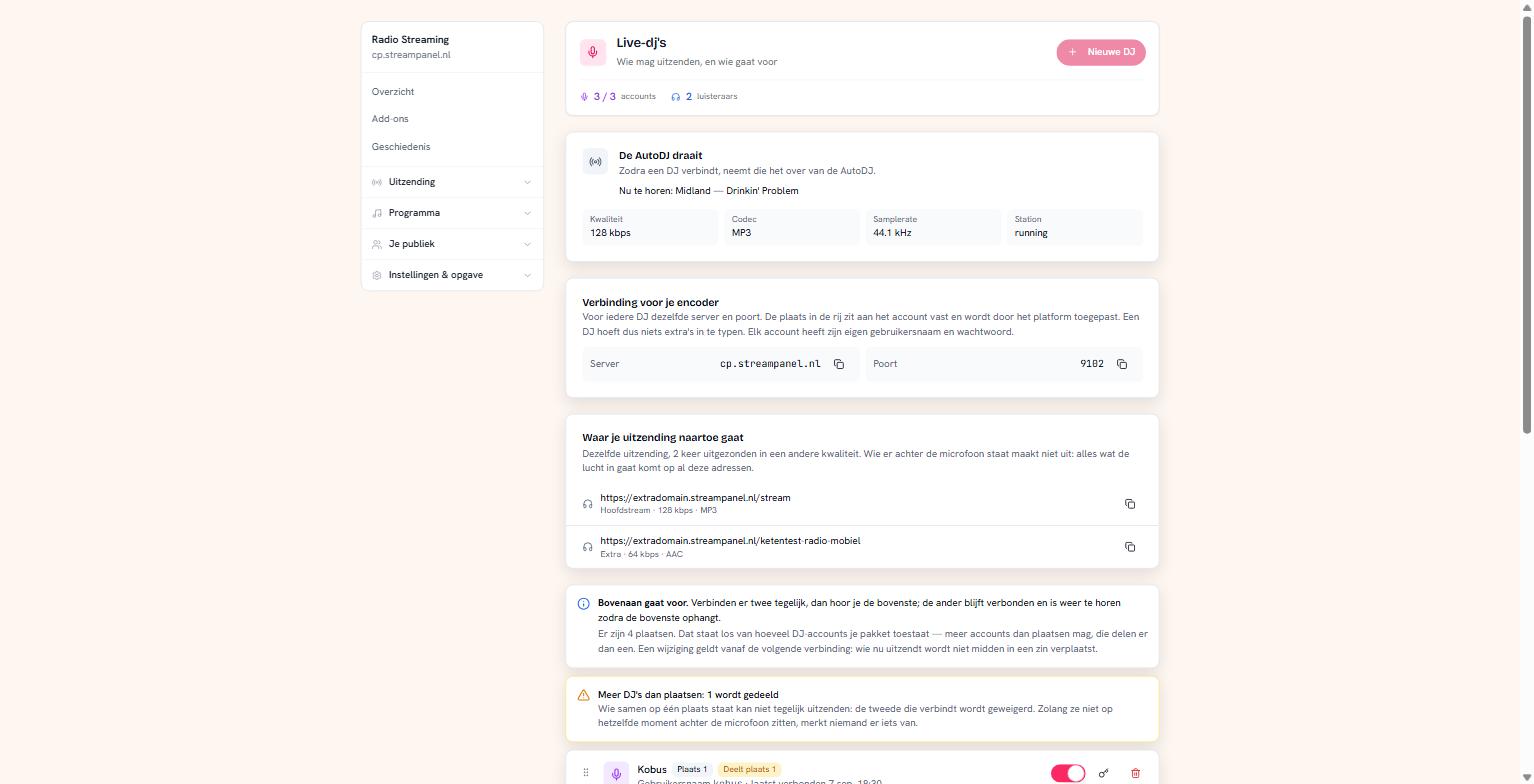 Three DJ accounts with their slot in the queue and their schedule
Creating an account
Click Nieuwe DJ, give a name and a username. You see the password once — save it right away, because it doesn't come back. Lost it? Set a new one with the key icon.
At the top you see how many accounts your plan allows and how many you use.
The connection details are the same for everyone
Server, port and mount (/live) appear once on the page, in the Verbinding voor je encoder (connection for your encoder) block, and are identical for all your DJs. You can copy all three there. Fill in the mount as well: an encoder without a mount is refused.
Only username and password differ per DJ. The slot in the queue is attached to the account and applied by the platform.
The queue for the microphone
This is the part that causes confusion, so precisely.
There are four slots, and that's a fixed number. The top one is slot 1 and it wins: if two connect at once, you hear the top one. The other stays connected and is audible again as soon as the top one hangs up — their encoder reports nothing unusual.
You change the order by dragging a row. That applies from the next connection; whoever is broadcasting at that moment isn't moved mid-sentence.
More accounts than slots
That's allowed, and then accounts share a slot. But note: accounts on the same slot collide. The second to connect is refused, and their encoder shows that as a dropped connection — not as "you may not now".
As long as those two aren't behind the microphone at the same moment, nobody notices. If your station is affected, it says so at the top in as many words: "Meer DJ's dan plaatsen: 1 wordt gedeeld".
New accounts all arrive on slot 1. If you have several presenters who might overlap, drag them apart.
A broadcast schedule
Per account you can set time slots: outside those hours the connection is refused. Handy with a fixed schedule, and it saves the argument about who accidentally ran over.
The times run in your station's time zone, not that of the browser filling them in. That figure is shown — without it you'd set a summer schedule that's two hours out, and you'd only find out when a presenter can't get in.
Taking someone off air
Whoever is live gets Van de zender. That takes someone off air without taking away their account: it stays active, keeps its priority and password, and can reconnect immediately. Nothing has to be restored afterwards.
If you really want to keep someone out, switch the account off with the toggle.