Instead of an address with our name in it, you give your listeners an address of your own: radio.yoursite.com. Everything your station can do — the stream, the player, the widgets, your podcast feed — then lives on your domain.
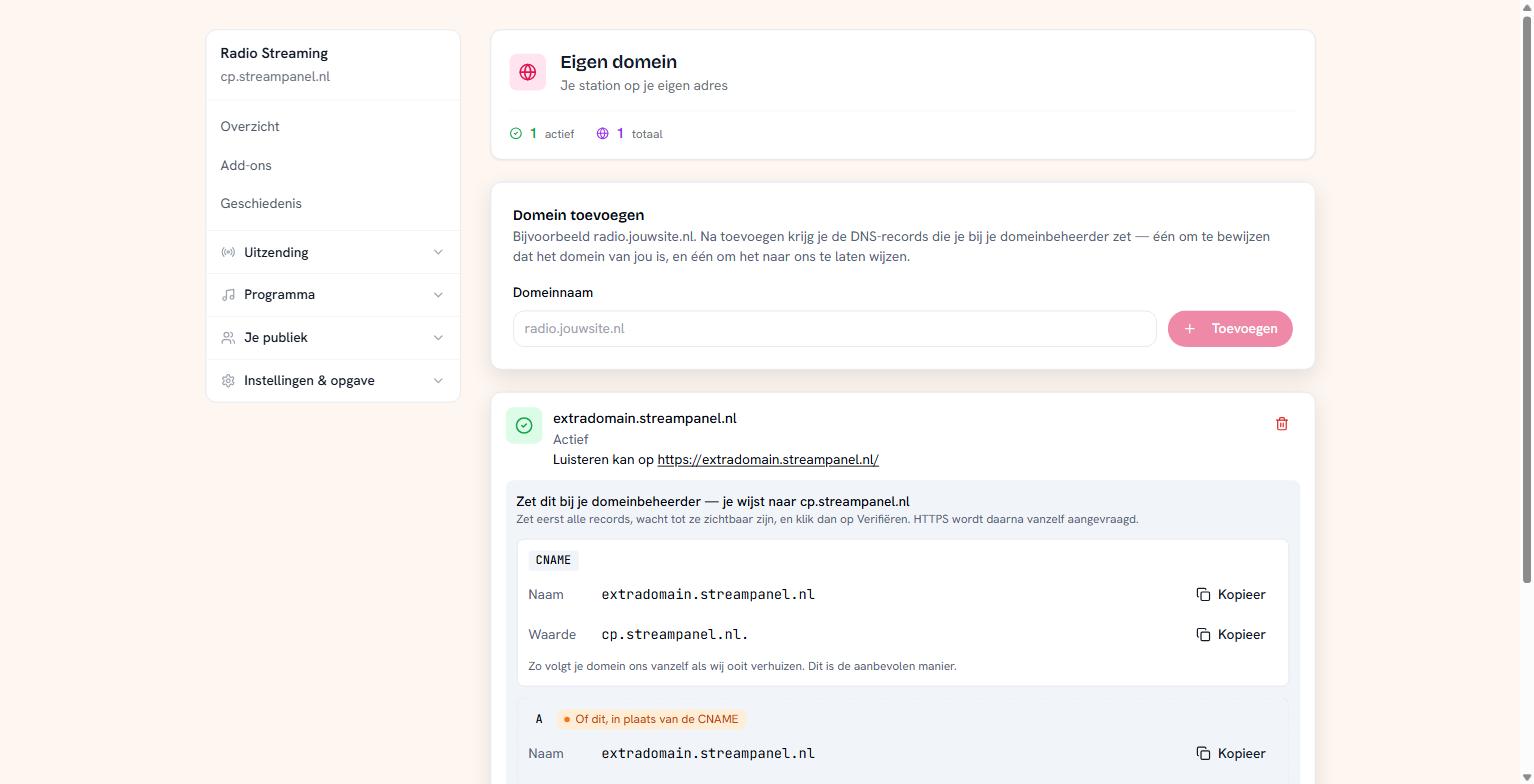 The domain screen with the DNS records you need to set
Two steps, and they're often confused
Adding and verifying are not the same. After adding, your domain does nothing yet: records have to be in your DNS first. Only once they're there do you click Verify.
Step 1: adding
Enter your domain name and click Toevoegen. You then see the records to set with your domain registrar.
Step 2: setting the records
There are two, and they do different things:
The verification record proves the domain is yours. That's a TXT record on a separate name beginning with an underscore.
The pointing record sends your visitors to us. For a subdomain like radio.yoursite.com that's a CNAME; for a bare domain an A record.
Important: the A record is an alternative to the CNAME, not an addition. Set one. Do both and one will be refused — DNS doesn't allow other records on the same name as a CNAME.
Don't invent the records yourself; copy them from this screen. There's a copy button on every field. The address you point at is looked up by us and can change — an IP you wrote down somewhere goes stale.
Step 3: verifying
Set all records first, wait until they're visible, and only then click Verifiëren. DNS needs time; depending on your provider that's a few minutes to a few hours.
It isn't retried automatically — you know best when you've set the records.
HTTPS is then requested automatically. You don't have to do anything for that.
What you get
A verified domain is a full station. The address to share is simply https://yourdomain/ — that's where your player lives. Beyond that, the short paths work: the stream, the widgets, your podcast feed.
Our own addresses keep working alongside it. Anyone who saved your old link loses nothing.
If it doesn't work
The status says what's going on. If it says it's waiting on DNS, the records aren't visible yet — check they're exactly as shown here, including the trailing dot on the CNAME value if your registrar uses one.