Two things on one page: pushing your broadcast to someone else's server, and notifying your own systems at every track change.
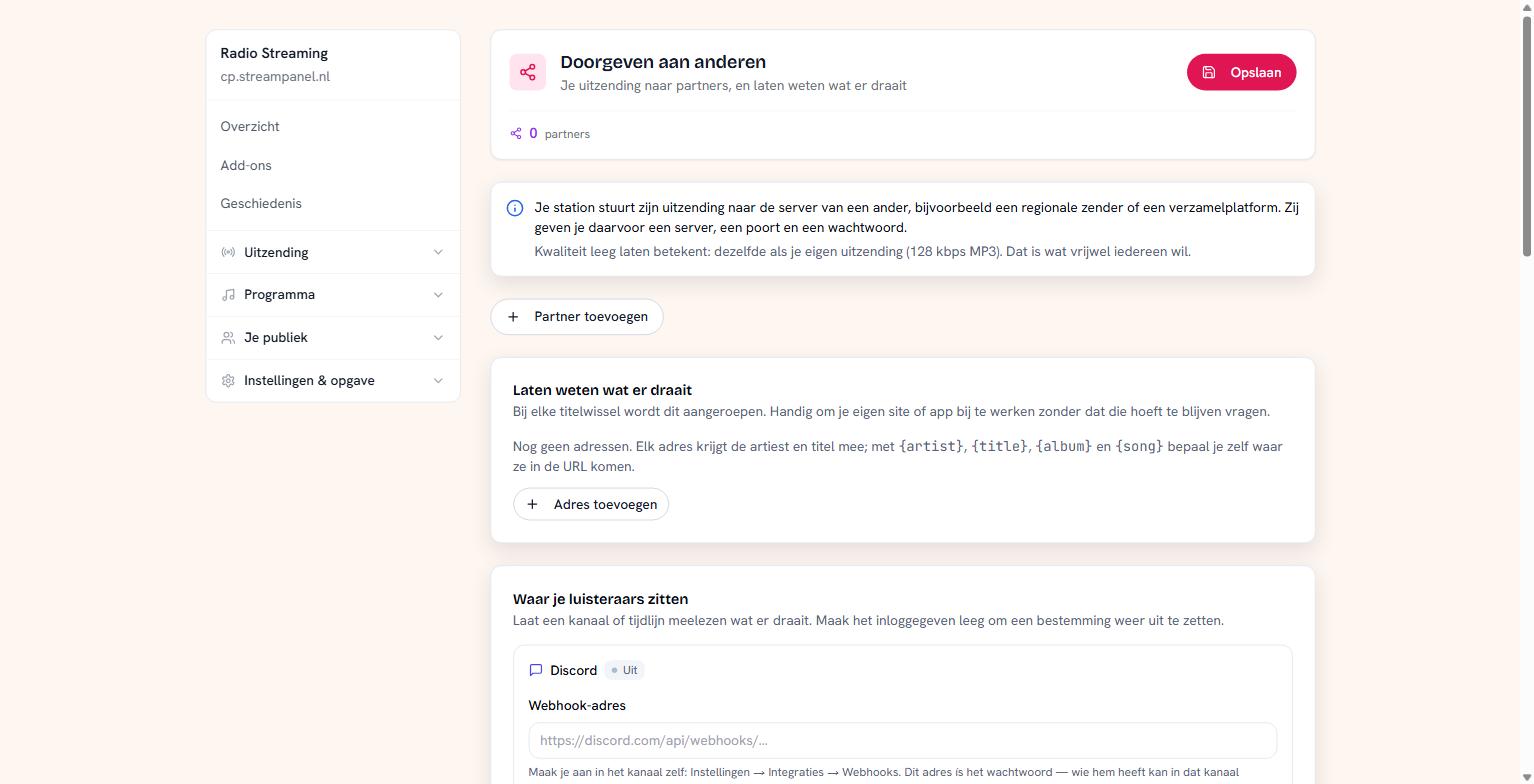 The screen for partners, now-playing notifications and TuneIn
Note the difference with Extra qualities: that's about our addresses, this is about someone else's server.
Adding a partner
Your station sends its broadcast to the server of, say, a regional station or an aggregator. They give you a server, a port, a mount point and a password.
Leave the quality empty to relay the same broadcast you send out yourself. That's what almost everyone wants. Fill something in and a separate encode is made for that partner.
Some partners run SHOUTcast instead of Icecast. There's a checkbox for that; ask if you don't know, because a wrong choice produces a connection that never comes up.
Notifying what's playing
At every track change an address of yours is called. Handy to keep your own site or app up to date without it having to keep asking.
Each address is given the artist and title. With {artist}, {title}, {album} and {song} you decide where they land in the URL.
TuneIn
If your station is in TuneIn, you can show what's playing there. You need three details for that — partner id, station id and a key — and you get those from TuneIn themselves. We can't request them for you.
Discord, Telegram and Mastodon
At the bottom you can let a channel or timeline follow what's playing. You paste in the address or key of that channel; leaving it empty switches a destination off again.
Passwords never come back
For none of the destinations on this page do you see the password again. If one is set, you see that one is set; leave the field alone and it stays.
That way you can change a port or a name without having to ask your partner for their password.
Why you can't drag here
The order of the rows matters: a stored password belongs to its place in the list. So you can only add and remove, not reorder. If you want a different order, remove a row and add it again — with its password.